Cutting our AWS bill by 10%
I joined Joko in April 2025 as a Software Engineer. This post is the story of one of my first tickets after getting onboarded.
At Joko, we are on a mission to reinvent the shopping experience. We started by helping users save money when shopping online, and the company has been growing at a rapid pace ever since. We recently passed the thrilling milestone of €60M saved for our users, and today we are taking on ambitious bets around AI (with our AI shopping agent) and international expansion.
Operating at our scale and growing this fast comes with very concrete technical challenges. One of them quickly stood out after I joined: a single DynamoDB table that had quietly grown to represent 10% of our AWS bill.
The challenge: when one table costs 10% of your AWS bill
Joko serves millions of active users every month, and that number is growing rapidly.
In May 2025, our userEvents table - which stores every interaction users have with the app - had grown to 20+ terabytes containing 19 billion items.
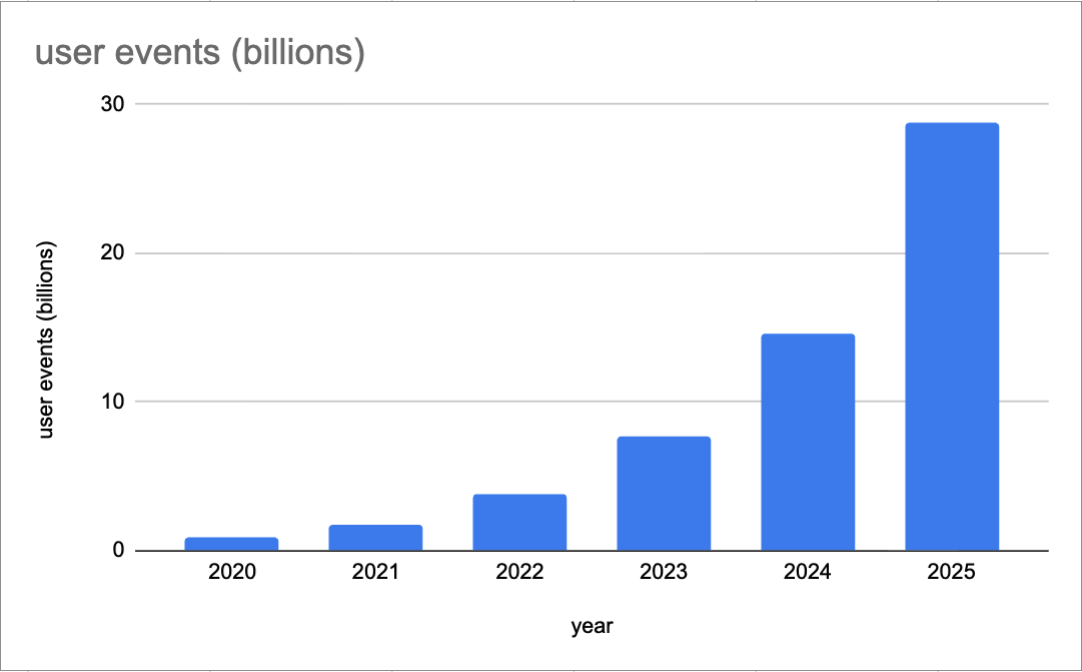
Cumulated number of user events at the end of each year
The userEvents table was our largest storage cost, representing 10% of our total server costs.
This table contained two kinds of events:
- 🟦 Functional events are queried in the backend. As they are used in user-facing features, they must be available with low latency.
- 🟥 Non-functional events are queried
- in our Data Warehouse used daily across the company for product insights, business tracking, and operations 📊.
- in the Customer Service Back Office ☎️, where they need to be available within minutes.
For the sake of simplicity, all events were initially stored in a single DynamoDB table, which made all events available with low latency.
This setup worked beautifully when we had thousands of users, but obviously could not scale cost-effectively to millions.
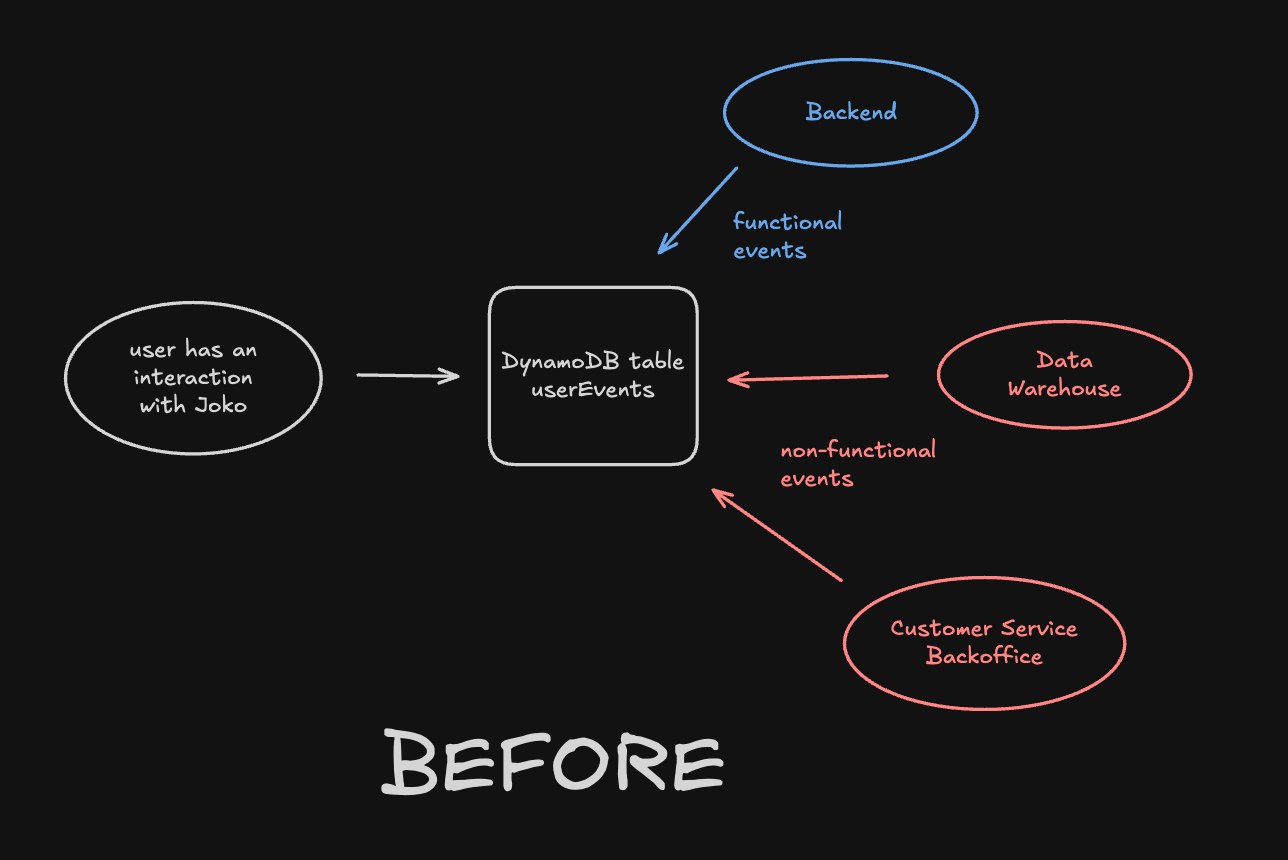
Before the migration: all events are stored in one DynamoDB table
The solution: migrate non-functional events out of DynamoDB
Since non-functional events do not require the low-latency provided by DynamoDB, we decided to stop storing them there.
Here is a simplified schema of the target architecture.
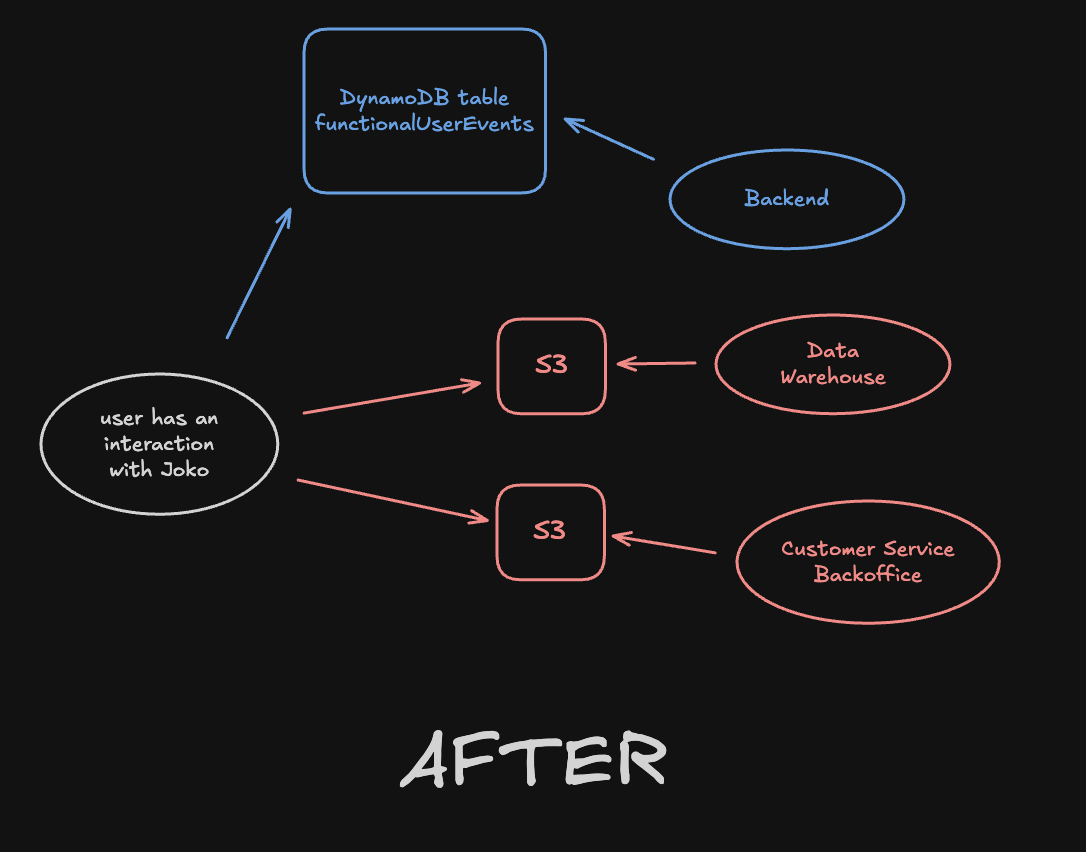
After the migration: only functional user events (blue) are stored in DynamoDB
- Backend: the backend is now plugged to a DynamoDB table containing only functional user events, available in milliseconds.
- Data Warehouse: we leveraged AWS Firehose to send events to AWS S3 (instead of DynamoDB) before being ingested in our Snowflake Data Warehouse.
- Customer Service Back Office: we leveraged AWS S3 as a “cold” storage for user events needed by Customer Service agents to solve users problems.
Note that we decided to create a new functionalUserEvents DynamoDB table instead of reusing userEvents. This is because removing 19 billion items from a DynamoDB table is expensive. It was worth the effort to create a new table, perform the migration and drop the old one (dropping a table is free).
The constraint: zero downtime
One of the realities of working on a B2C app used by millions of users is that you have a (very) direct feedback loop. That means that even when performing such an important migration on the stack, one cannot take the risk of a downtime.
Here is how we gradually and carefully performed our migration so that we could monitor each step and roll back in case anything went wrong.
- Step 1: We switched the Customer Service Back Office ☎️ from DynamoDB to S3. For this step, we maintained a double run (two views) for several weeks before actually unplugging the DynamoDB view in order to ensure service continuity.
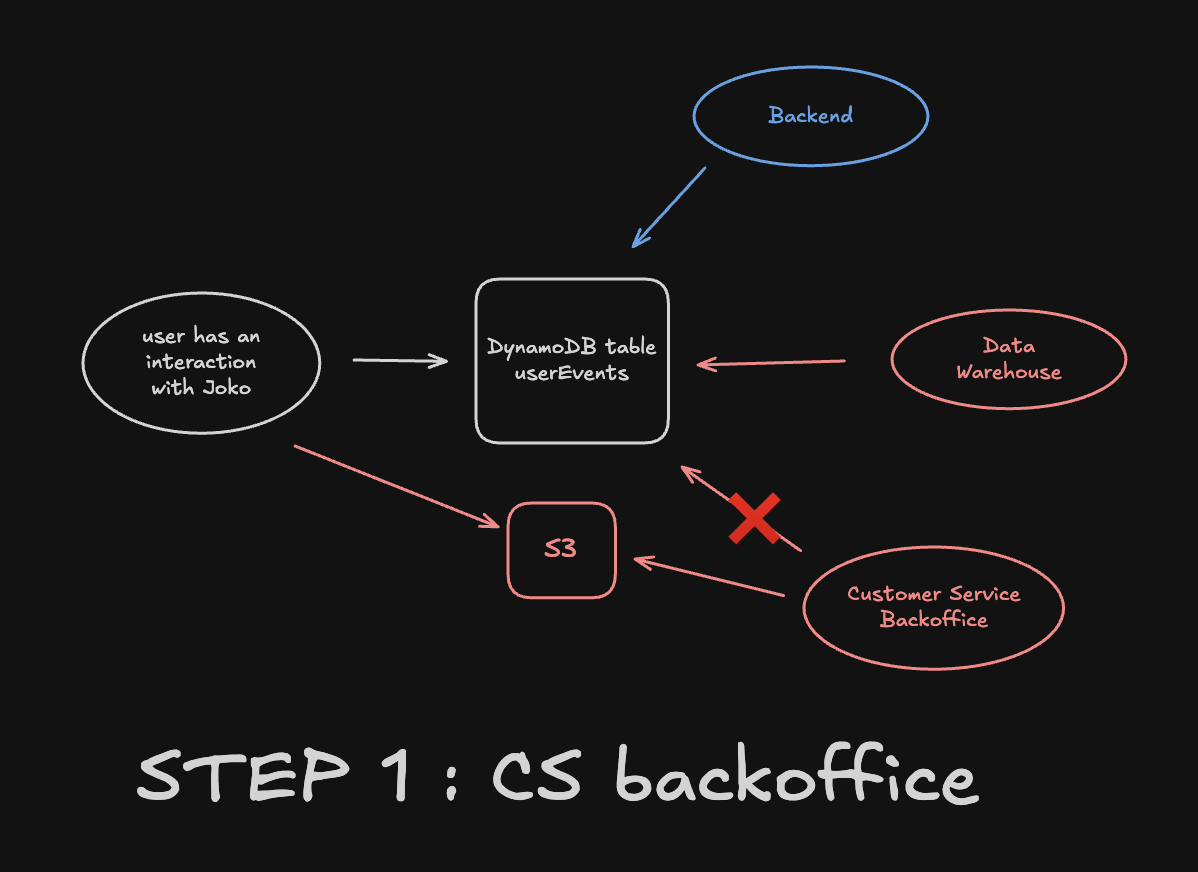
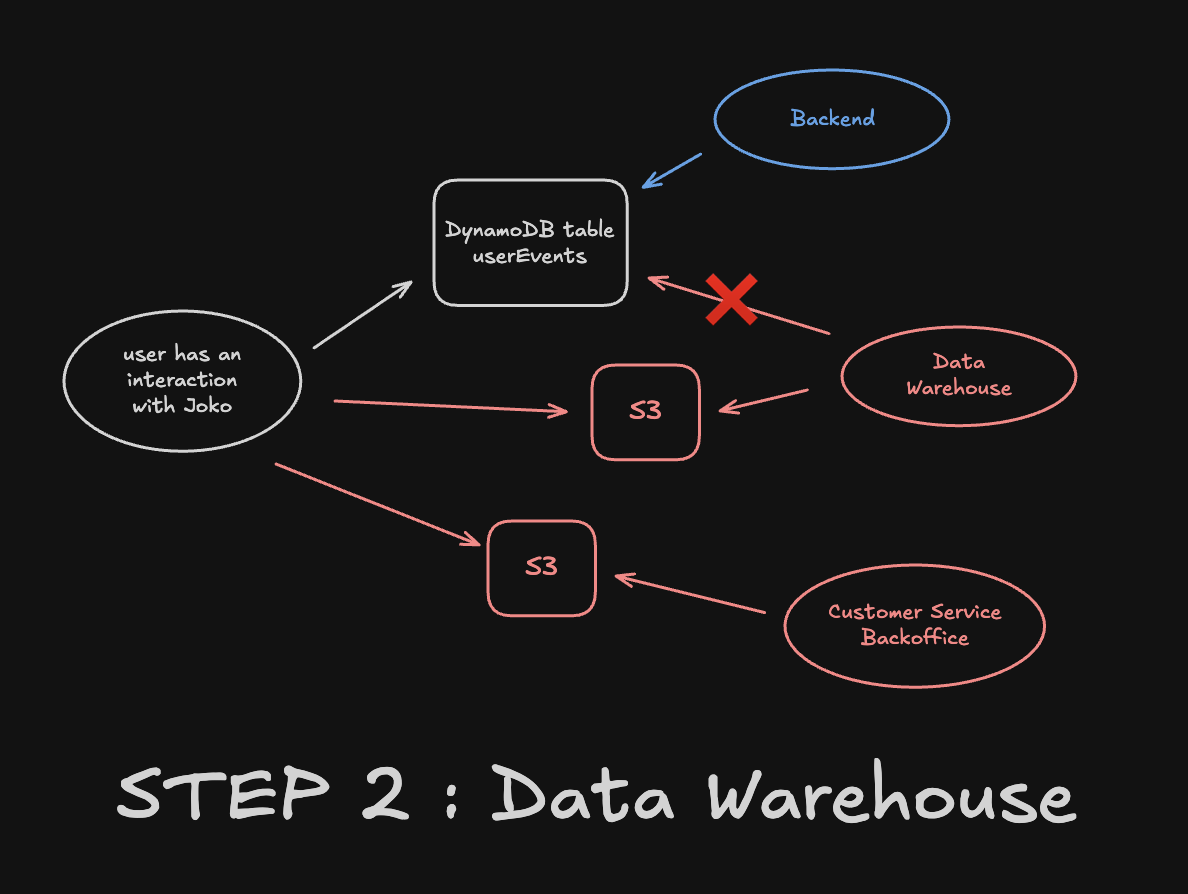
- Step 2: We then switched the way we load user events into our Data Warehouse. We pushed events to S3 instead of DynamoDB, and adapted the mechanism that incrementally ingests events into the Data Warehouse to make it read from S3.
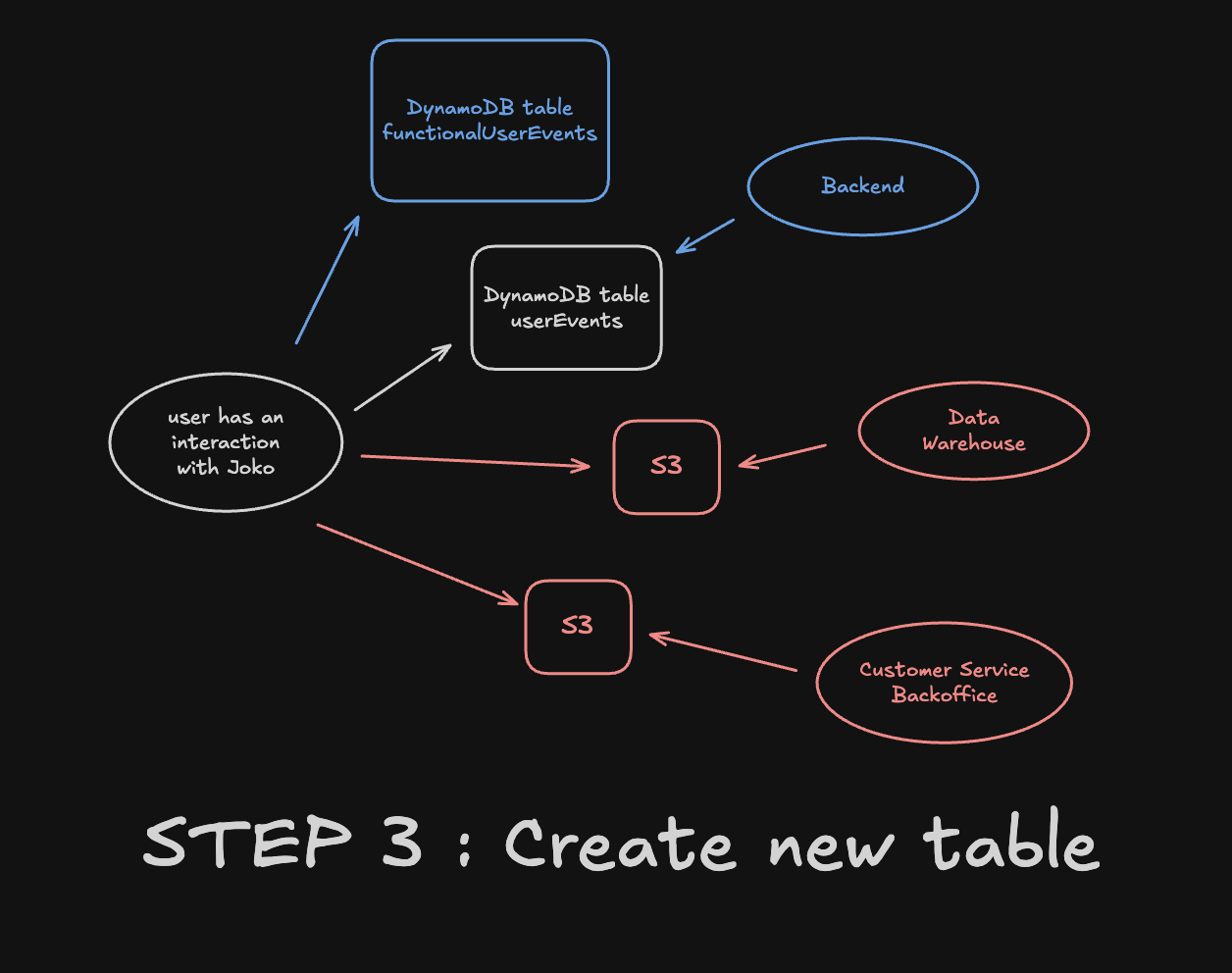
- Step 3: Next step was to create a new
functionalUserEventstable and to start filling it with functional user events. Importantly, we kept writing in both tables during all the time of the migration. This gave us the possibility to roll back at any moment if needed.
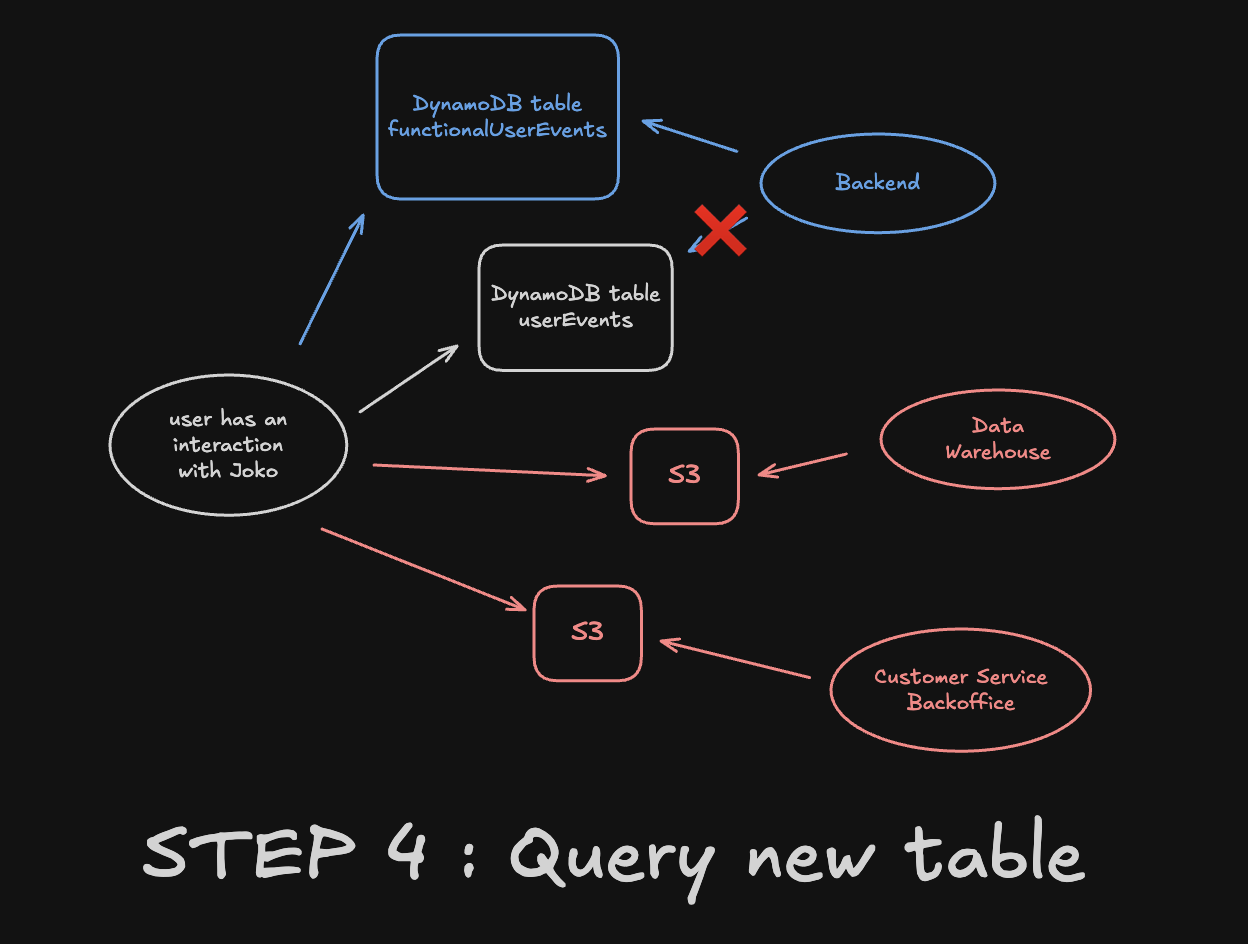
- Step 4: We then switched all backend queries using
userEventsto the new table, one by one. This was the most critical time of the migration, as it was the moment where things could break for users. We performed heavy QA at each step.
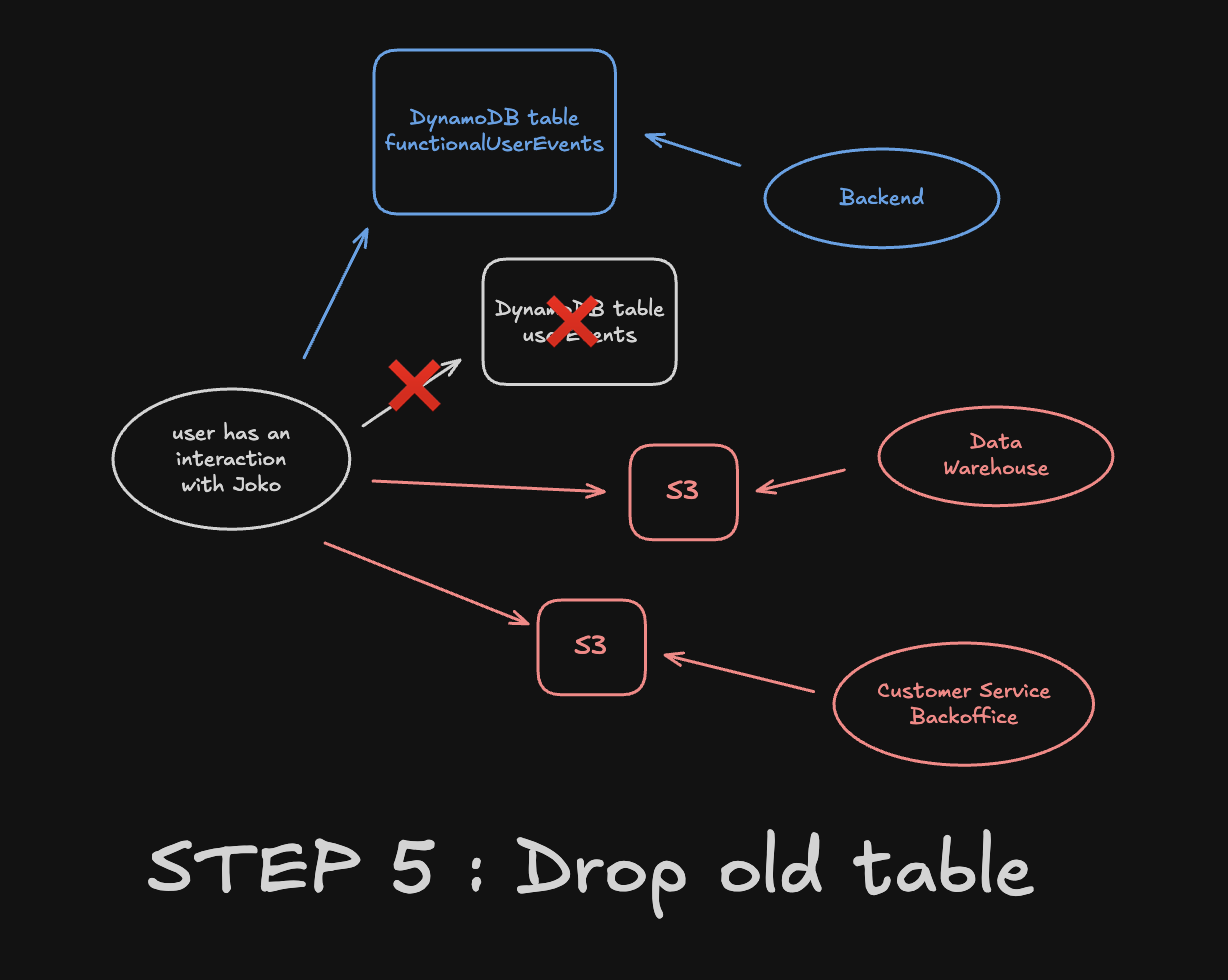
- Step 5: Finally, after a few weeks of monitoring, we were confident enough to drop the old table. The migration was over 😊
Impact and takeaways
What is great about such projects is that the impact is directly measurable. One graph says it all.
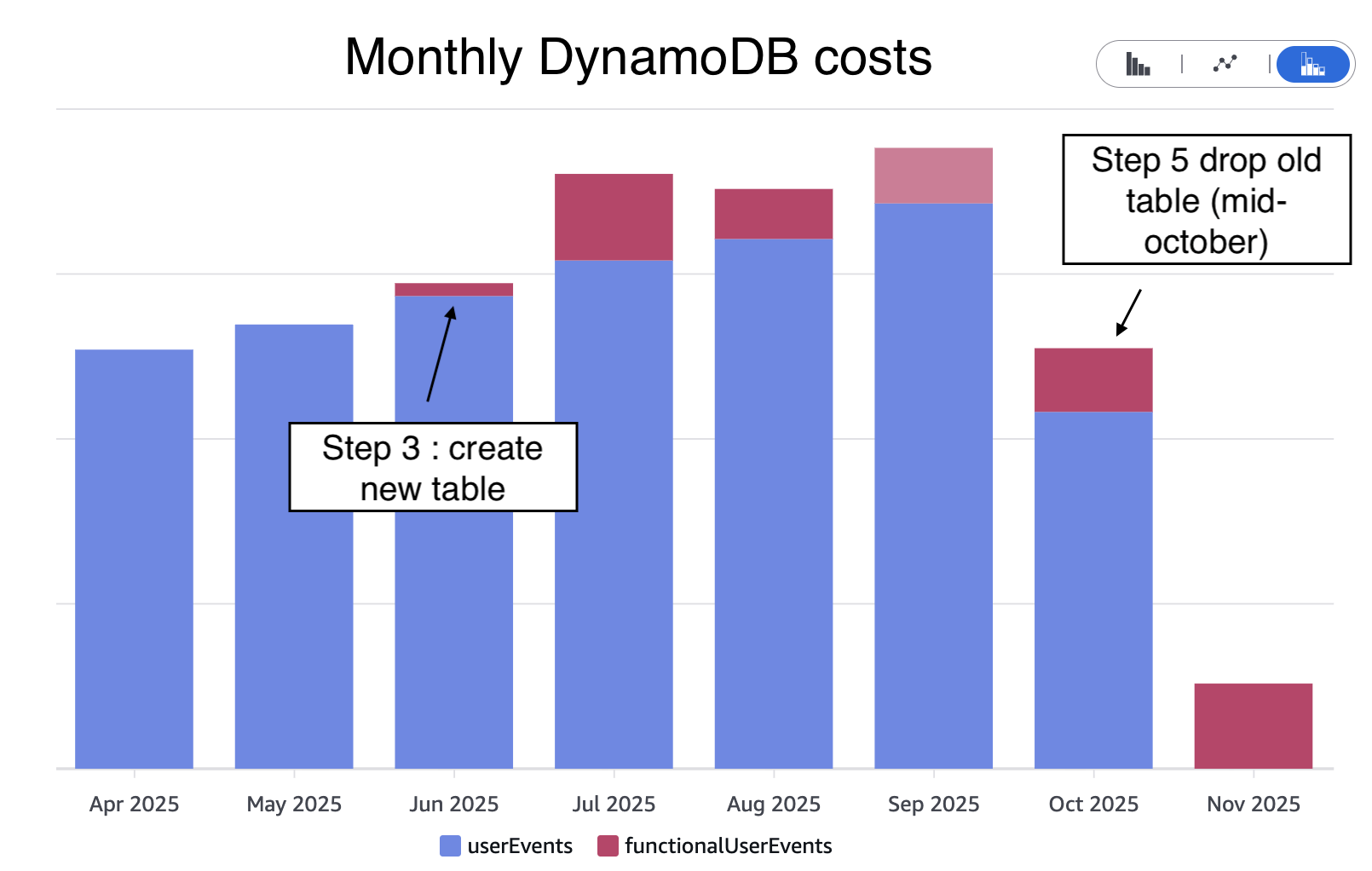
DynamoDB costs regarding user events were divided by a factor 6
As often when building and maintaining software (and systems in general), there was no dark magic involved. Here is a list of the key ingredients I believe made this project a success.
- Being methodical: breaking the migration into small, verifiable steps rather than attempting a “big bang” change.
- Planning for rollback at every stage: always having a clear way back if something went wrong.
- Running in parallel when needed (double run): validating the new path against the old one before switching traffic.
- Instrumenting and monitoring heavily: error rates, data completeness checks, dashboards, and alerts tailored to each migration step.
- Communicating early and often: aligning on timelines and expectations with the teams impacted (👋 Customer Service and Data teams 🫶).
If this rings a bell, let’s talk! We are only getting started and have plenty of large-scale, high-impact engineering challenges ahead 🧑🍳